
Employee Time Clock
Without the Monthly Fees
Simple, powerful time tracking software you own forever. One-time purchase. Runs on your network. No subscriptions.
Why Businesses Switch to WWD TimeClock
Stop paying monthly fees for something you could own outright
No More Monthly Fees
Cloud time clocks charge $5-15 per employee per month. That adds up fast. Pay once, own forever.
Works Offline
Internet goes down? Employees can still clock in. Your business doesn't stop for connectivity issues.
Your Data Stays Private
Employee time data never leaves your network. No third-party servers. Complete privacy and control.
Simple to Use
4-digit PIN entry. No training needed. Employees clock in within seconds on day one.
Everything You Need
A complete time tracking solution without the complexity
Simple PIN Entry
Employees clock in with a 4-digit PIN. Fast, simple, no confusion.
Real-Time Dashboard
See who's working, who's on break, and hours logged at a glance.
Break Tracking
Automatic break time tracking with one-tap start and end.
Multiple Locations
Manage multiple offices or departments from one admin panel.
PTO & Time Off
Track vacation, sick days, holidays, and other paid time off.
Bulk Time Entry
Apply holidays or PTO to all employees with one click.
Missed Punch Requests
Employees can request corrections. Managers approve or deny.
Role-Based Access
Administrator, Manager, and Accountant roles with different permissions.
Payroll Reports
Export to CSV or QuickBooks IIF format. One-click payroll prep.
Announcements
Display daily messages to employees on the time clock screen.
Tablet Friendly
Mount a tablet as a dedicated time clock station. Works beautifully.
Unlimited Everything
No per-employee fees. No device limits. No hidden costs.
See It In Action
Clean, modern interface that employees actually enjoy using
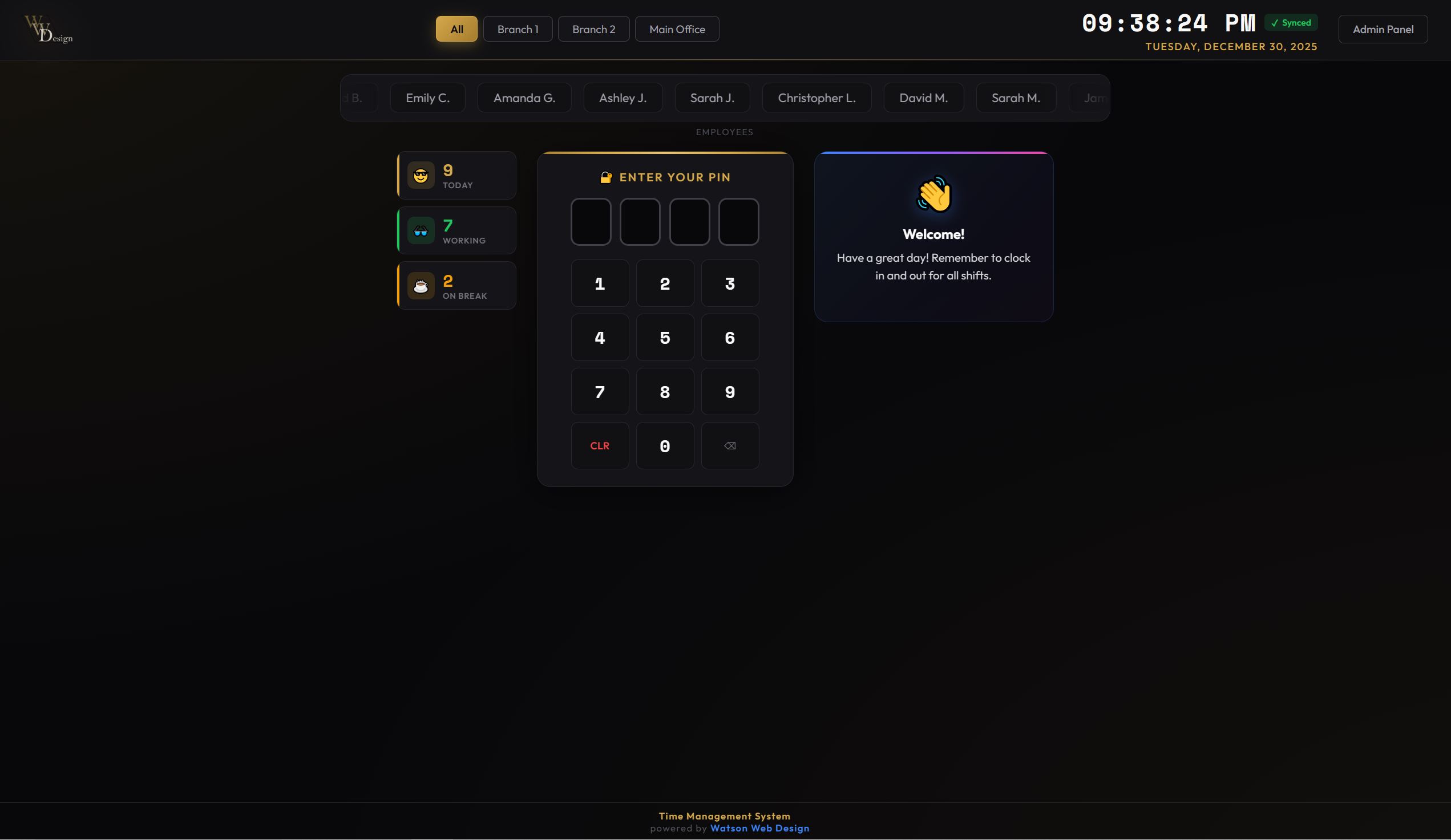
Simple Clock-In Experience
Employees see their name, enter their PIN, and they're done. Real-time status shows who's working, on break, or off for the day.
- One-tap employee selection
- 4-digit PIN entry
- Instant activity card with hours
- Break and return buttons
- Location filtering
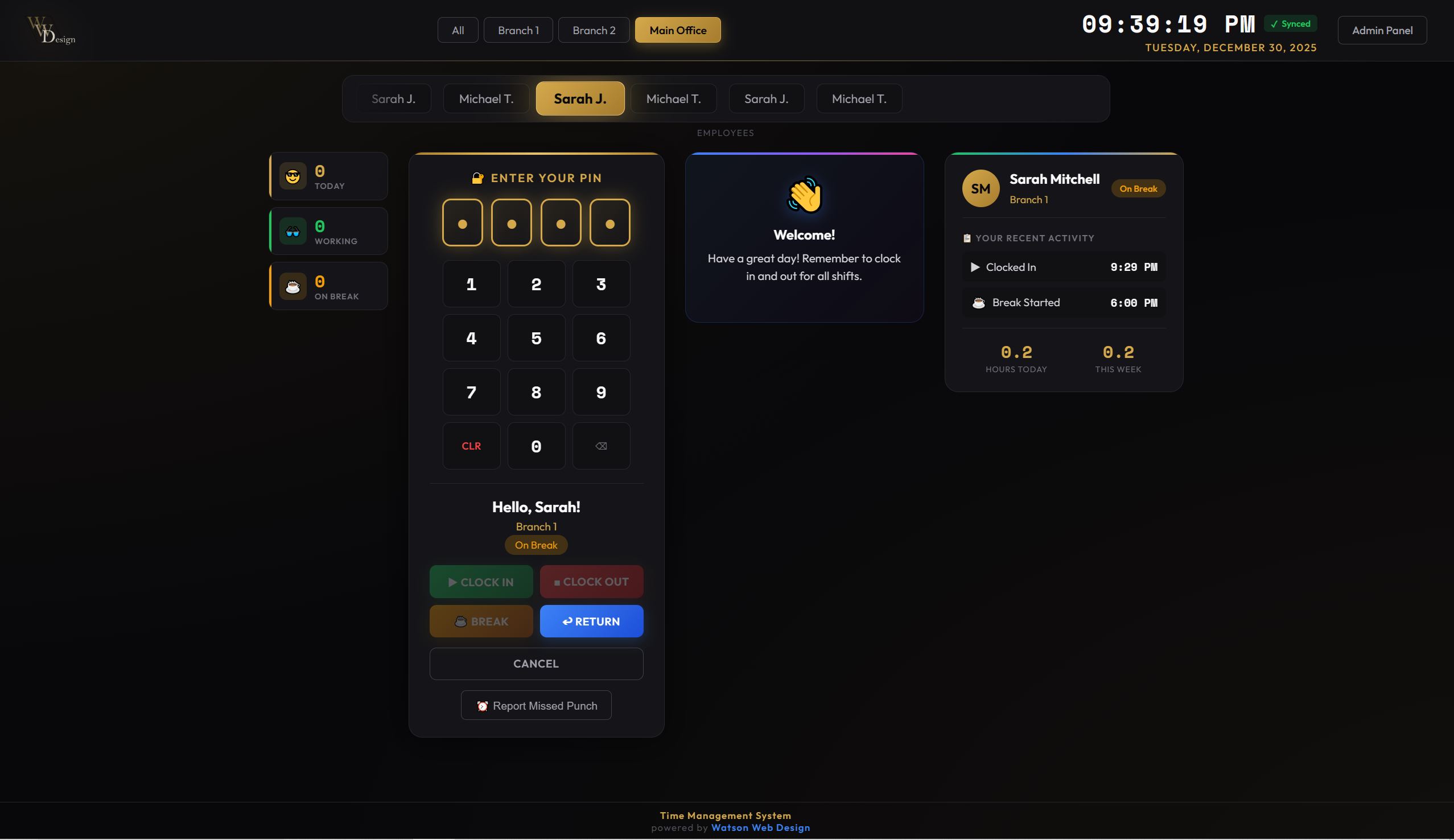
Real-Time Dashboard
Managers see everything at a glance. Who's working, who's on break, total hours for the day. Filter by location instantly.
- Working/Break/Off status at a glance
- Today's entries and hours
- Employee list with clock-in times
- Location-based filtering
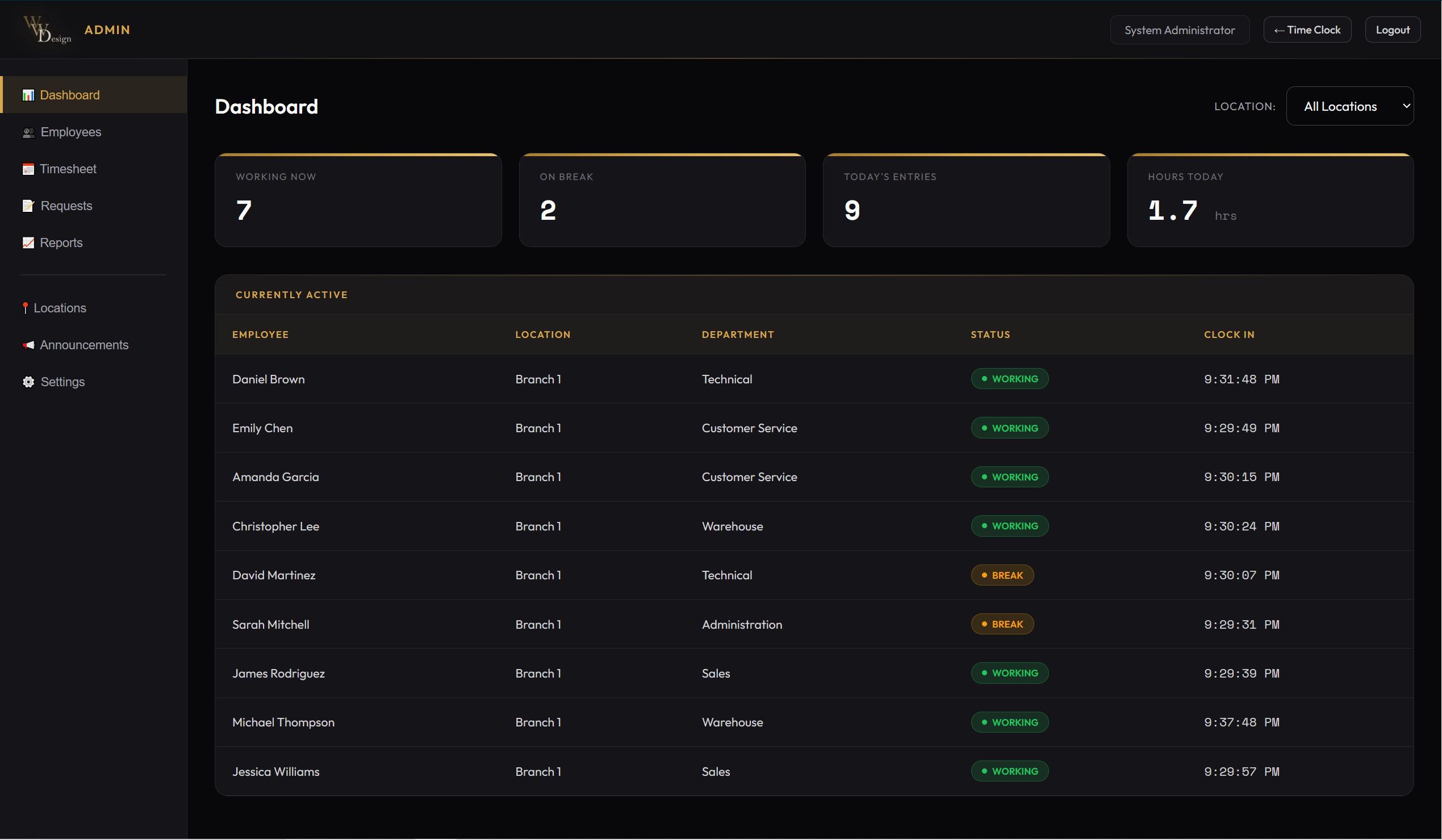
Complete Timesheet View
View, filter, and edit all time entries. Add manual entries, fix mistakes, export for payroll.
- Filter by employee, location, date range
- Filter by entry type (Clock, PTO, Sick, etc.)
- Edit entries with audit trail
- Export to CSV
- Add manual entries
Complete Admin Control
Manage employees, run reports, configure settings - all from one place
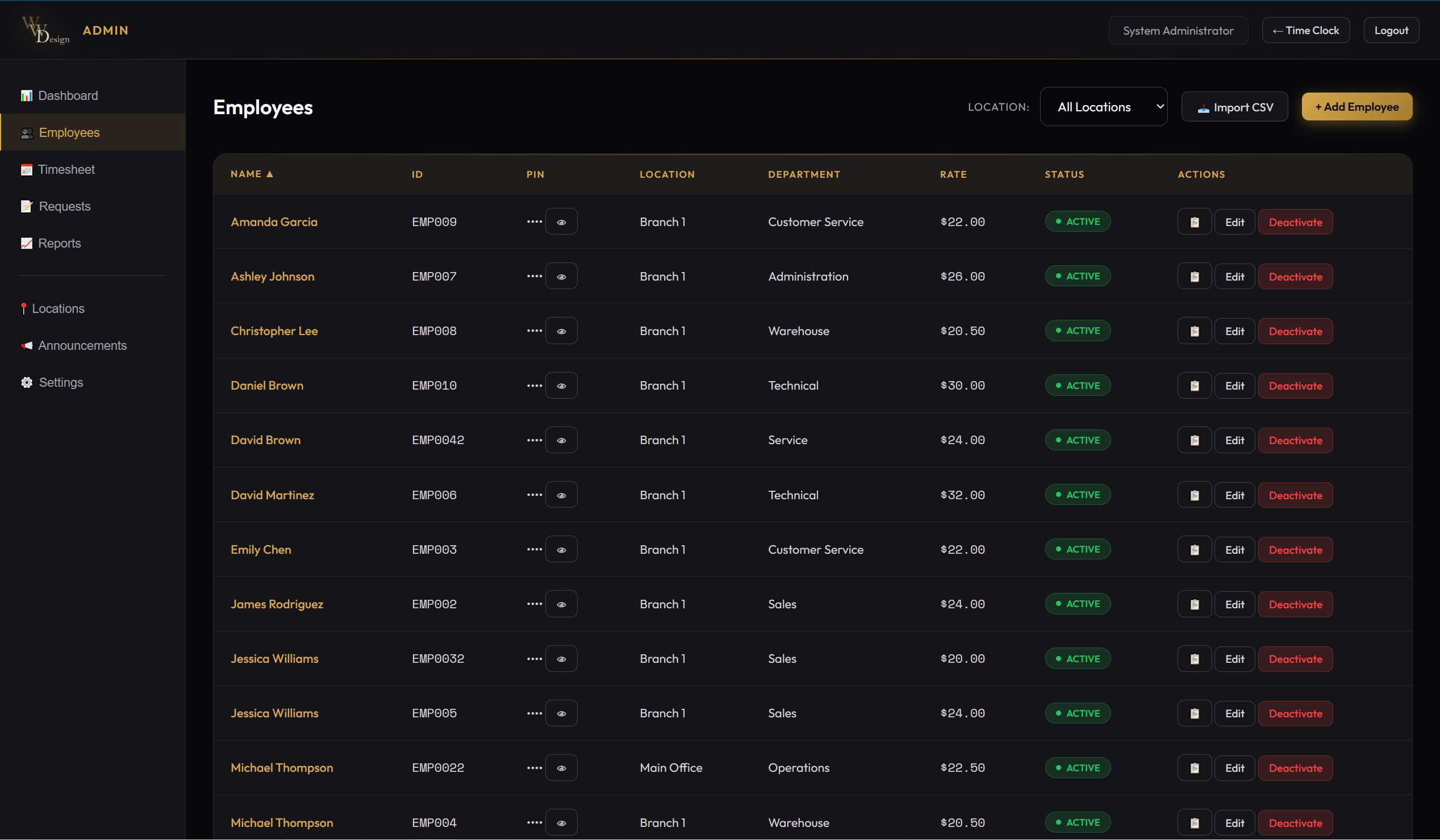
Employee Management - Add, edit, import employees
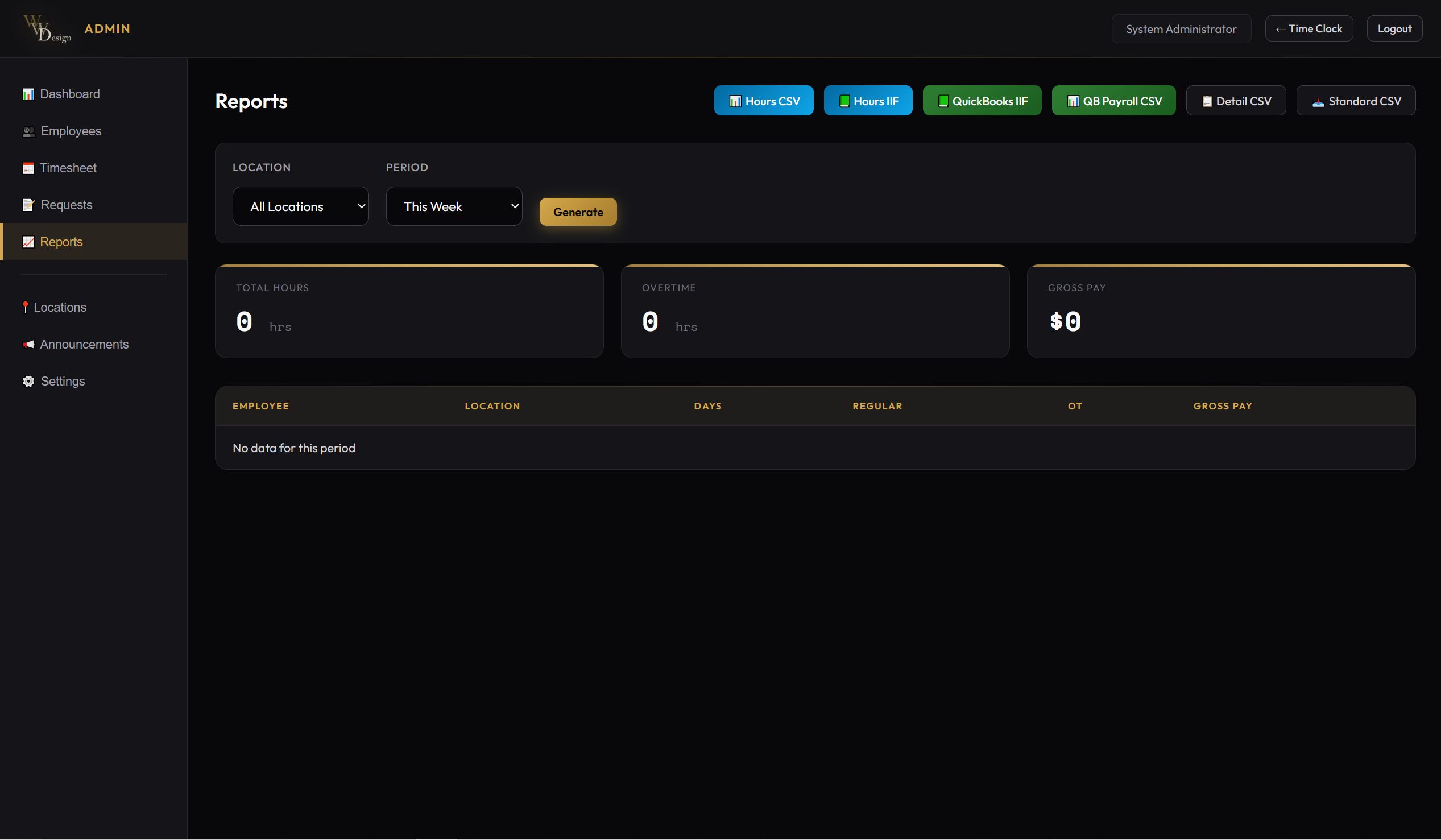
Reports - Export to CSV or QuickBooks
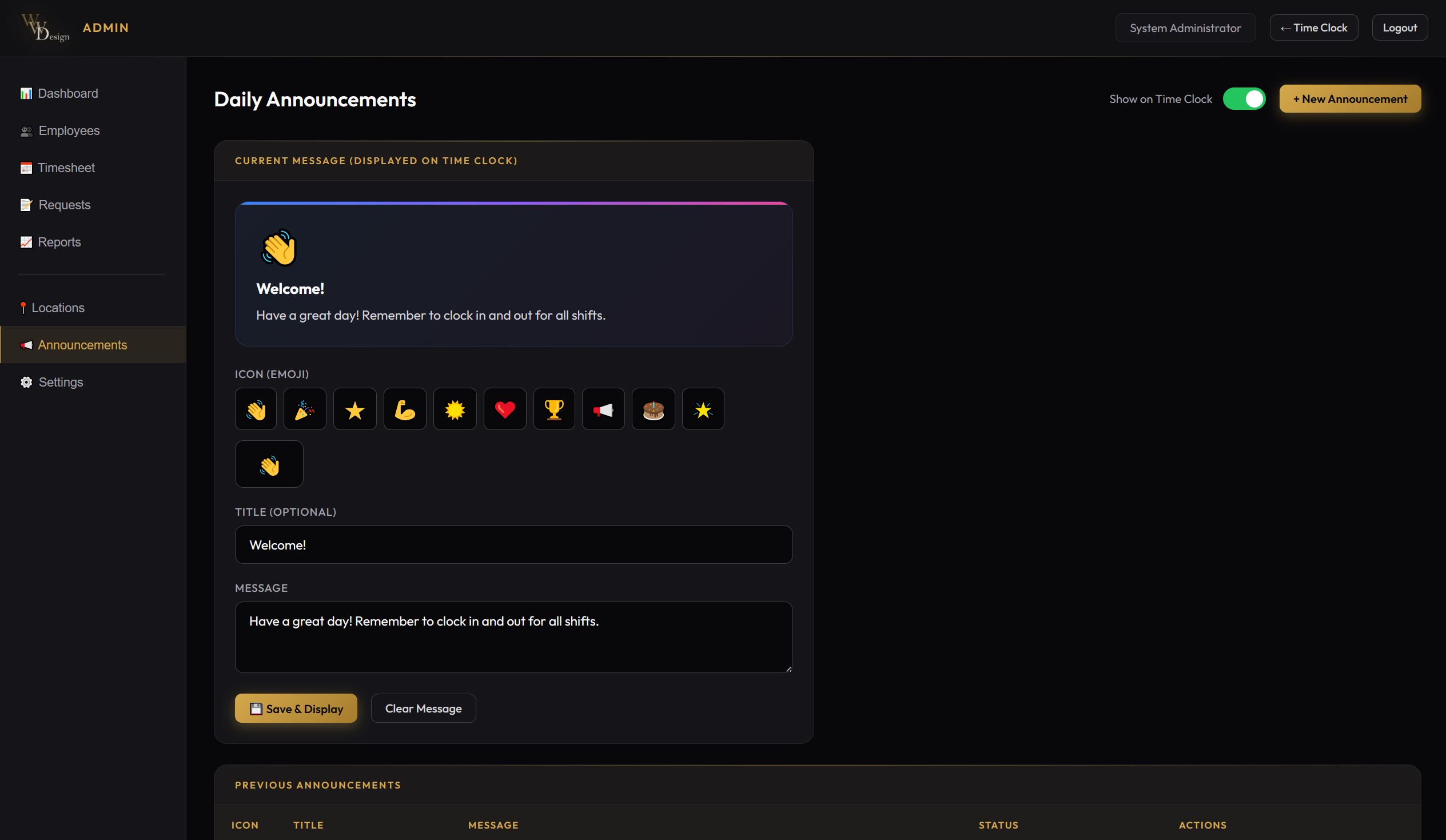
Announcements - Display messages on time clock
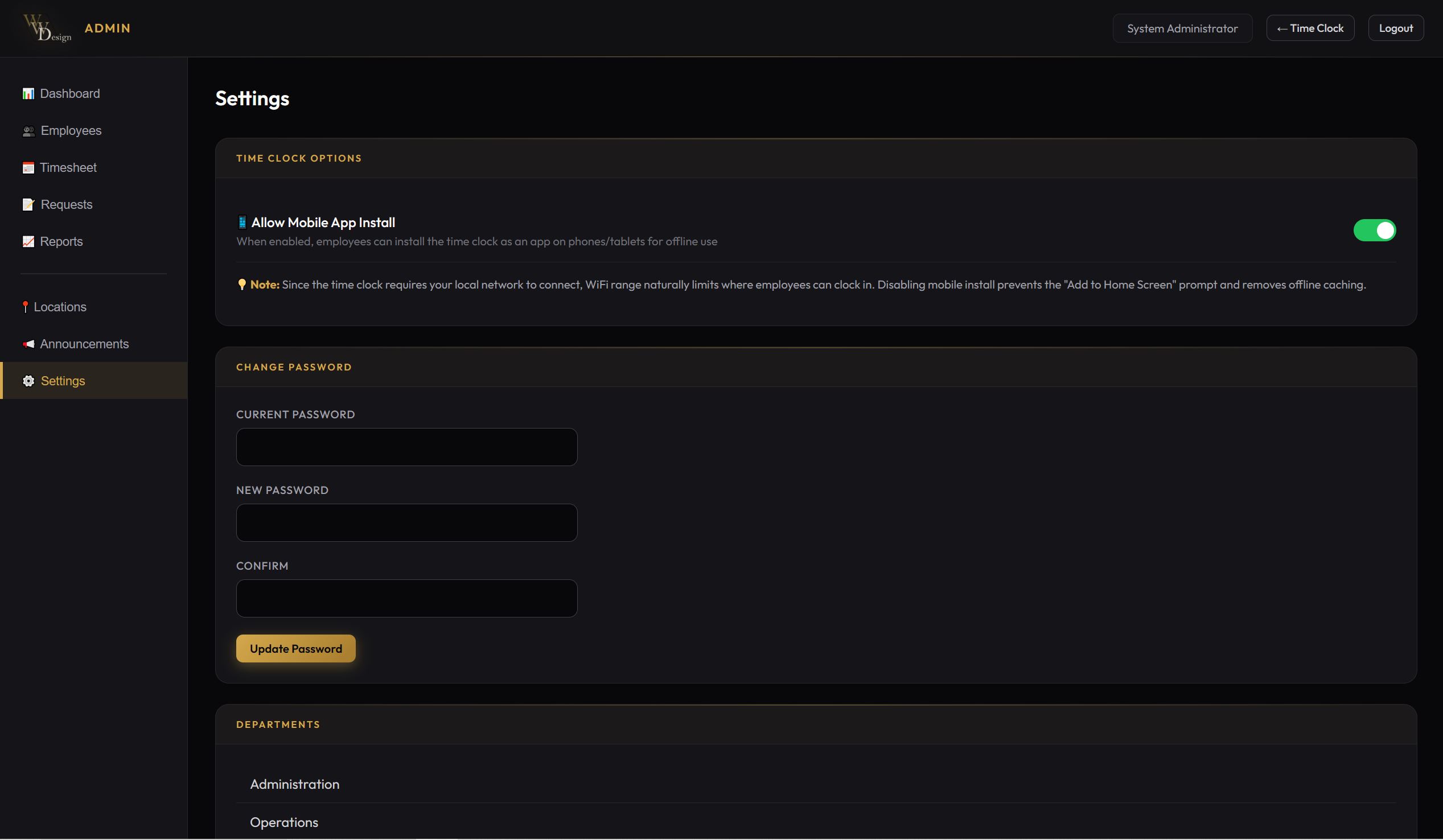
Settings - Configure departments, password, options
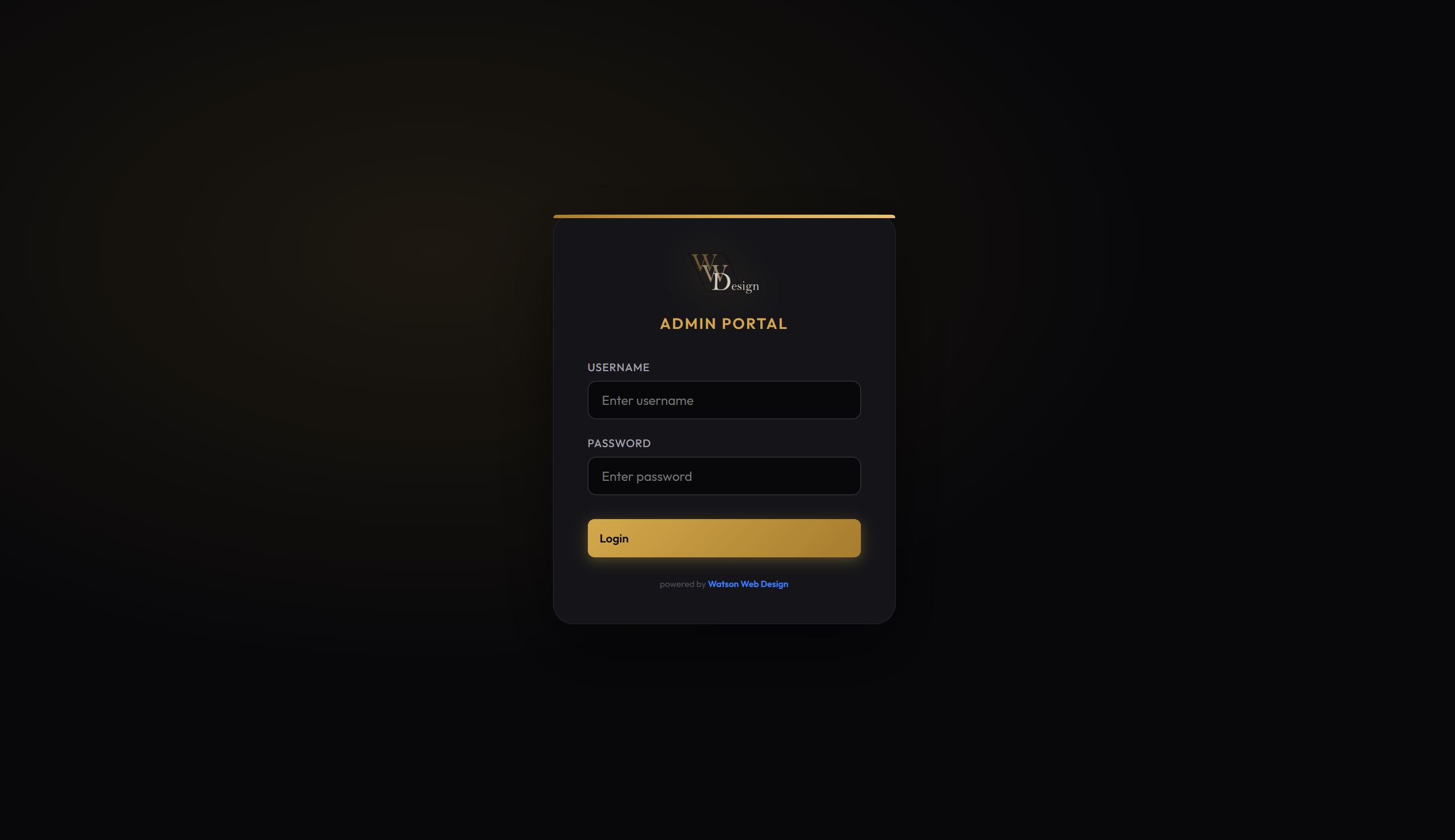
Secure Admin Portal
Clean, professional login screen. Supports your company branding with custom logo.
- Secure password authentication
- Custom logo support
- Role-based access control
- Session management
Deploy Your Way
Runs on the hardware you already have
Raspberry Pi
Perfect for a dedicated kiosk. Low power, always on.
Docker
Deploy anywhere Docker runs. Simple and portable.
Synology NAS
Already have a NAS? Perfect home for your time clock.
Windows / Mac
Run on any computer with Docker Desktop or Node.js.
Compare the Cost
See how much you save over 5 years
| Feature | WWD TimeClock | Cloud Services |
|---|---|---|
| Upfront Cost | $199 - $499 | $0 |
| Monthly Fee (10 employees) | $0 | $50 - $150/mo |
| 5-Year Total Cost | $199 - $499 | $3,000 - $9,000 |
| Data Privacy | ✓ 100% On-Premise | ✗ Third-Party Servers |
| Works Offline | ✓ | ✗ |
| Unlimited Employees | ✓ | ✗ Per-user pricing |
Simple Pricing
One-time purchase. No subscriptions. No hidden fees.
DIY Install
- Complete software package
- Installation documentation
- 30 days email support
- Unlimited employees
- Unlimited devices
- All features included
Professional
- Everything in DIY
- Remote installation assistance
- Initial configuration
- Employee import setup
- 60 days email support
- Video training session
Enterprise
- Multi-location setup
- Custom branding*
- On-site installation*
- Staff training
- Priority support
- Ongoing maintenance plans
* On-site installation: $150/hr + travel | Custom branding available for Enterprise
Perfect For
Trusted by businesses across industries
Frequently Asked Questions
What hardware do I need?
Any computer, NAS, or Raspberry Pi that can run Docker. For the time clock display, any tablet, phone, or computer with a web browser works. Most businesses use a mounted tablet.
Is it really unlimited employees?
Yes. No per-user fees, no employee limits. Add as many employees as you need without additional cost.
Can I use multiple tablets?
Absolutely. Set up as many time clock stations as you need - one per entrance, one per department, whatever works for your business.
What about updates?
Updates are included. Download new versions as they're released. Your data stays intact through updates.
Can employees clock in from their phones?
Employees can access the time clock from any device on your network. The mobile-friendly design works great on phones.
How do I export for payroll?
One-click export to CSV or QuickBooks IIF format. Select date range, click export, done.
What if I need help?
DIY includes 30 days email support. Professional includes 60 days plus installation help. Additional support plans available.
Can I try it first?
Contact us for a live demo. We'll show you exactly how it works for your business.
Ready to Stop Paying Monthly Fees?
Get a time clock solution you own forever. One purchase, unlimited use.